
Dell OptiPlex 7450 All-in-One Quick Start Guide

OptiPlex 7450 All-in-One Quick Start Guide
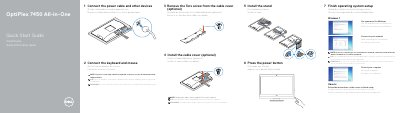

Dell OptiPlex 7450 All-in-One Quick Start Guide - cover page
Brand
DELL
Category
All-in-One Desktops
Document type
Quick Start Guide
Language
English
Pages
2
File format
PDF
File size
763 KB
Published
24 November, 2023
Updated
24 November, 2023
MD5 checksum
E819435CB8F0941B087E690008FC14E6

About this manual

This document serves as a multilingual quick start guide for the Dell OptiPlex 7450 All-in-One computer. It provides step-by-step instructions in English, Dutch, and French for connecting power and peripherals, installing the optional stand, and completing the operating system setup for both Windows and Ubuntu.

What's inside

  • Connect the power cable and other devices
  • Connect the keyboard and mouse
  • Install the cable cover
  • Install the stand
  • Press the power button
  • Set a password for Windows
  • Connect to your network
  • Protect your computer
  • Features
  • Product support and manuals

Specifications

Regulatory modelW11C
Regulatory typeW11C002

Frequently asked questions

Is securing the cable cover mandatory?

No, securing the cable cover using the Torx screw is optional.

Download PDF (763 KB)

More DELL Manuals


View all DELL manuals →