
Dell OptiPlex 7020 Quick Start Guide

The Dell OptiPlex 7020 Quick Start Guide describes how to connect the keyboard and mouse, network cable, display, and power cable to the computer.
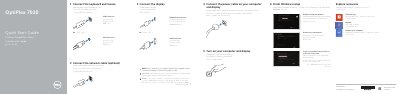

Dell OptiPlex 7020 Quick Start Guide - cover page
Brand
DELL
Category
Desktops
Document type
Quick Start Guide
Language
English
Pages
2
File format
PDF
File size
310 KB
Published
19 November, 2023
Updated
19 November, 2023
MD5 checksum
FD46612A7CB3AF282AC04CDE614F1D46

About this manual

This document serves as a Quick Start Guide for the Dell OptiPlex 7020 computer. It provides multilingual instructions for the initial setup process, covering the connection of essential peripherals such as keyboards, mice, network cables, and displays. It also details the steps to connect power and turn on the system.

What's inside

  • Connect the keyboard and mouse
  • Connect the network cable
  • Connect the display
  • Connect the power cable
  • Turn on your computer and display
  • Finish Windows setup
  • Features
  • Product support and manuals
  • Regulatory and safety
  • Regulatory model

Specifications

Regulatory model (MT)D12M
Regulatory model (SFF)D13M
Regulatory type (MT)D12M001
Regulatory type (SFF)D13M001

Frequently asked questions

What should I do if I ordered the computer with a discrete graphics card?

You should connect the display to the discrete graphics card.

Where can I find product support and manuals?

You can find them at dell.com/support and dell.com/windows8.

Download PDF (310 KB)

More DELL Manuals


View all DELL manuals →