
Dell OptiPlex 7020 Quick Start Guide

The Dell OptiPlex 7020 Quick Start Guide provides information on how to use the OptiPlex 7020 computer.
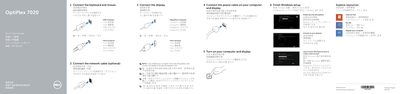

Dell OptiPlex 7020 Quick Start Guide - cover page
Brand
DELL
Category
Desktops
Document type
Quick Start Guide
Language
English
Pages
2
File format
PDF
File size
429 KB
Published
21 November, 2023
Updated
21 November, 2023
MD5 checksum
007DCEBB0CD35DC860CBB66B522EDC05

About this manual

This document is the Quick Start Guide for the Dell OptiPlex 7020 desktop computer. It provides instructions for connecting the network cable, keyboard, mouse, and display, as well as connecting power cables for both the computer and the display. The guide also covers turning on the system and completing the initial Windows setup, enabling security, and registering the computer.

What's inside

  • Explore resources
  • Connect the network cable
  • Connect the keyboard and mouse
  • Connect the display
  • Connect the power cable
  • Turn on your computer
  • Finish Windows setup
  • Enable security and updates
  • Connect to your network
  • Register your computer
Download PDF (429 KB)

More DELL Manuals


View all DELL manuals →