
Dell Inspiron 660s quick start guide covering computer feature locations, basic setup steps, and Mexican NOM regulatory information.
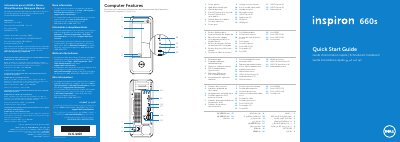
This Quick Start Guide for the Dell Inspiron 660s computer provides multilingual setup instructions and feature callouts. It shows how to connect the power cable, keyboard and mouse, display, and optional network cable, then press the power button, locate the Service Tag, record the Windows password, and complete Windows setup.
The guide also lists computer features such as the power button, hard-drive activity light, optical-drive bay, front I/O panel, 8-in-1 media-card reader, headphone and microphone ports, USB 2.0 and USB 3.0 ports, audio ports, VGA and HDMI ports, and network port. A Mexican NOM section gives the importer, regulatory model D06S, type D06S001, input voltage, input frequency, and current.
| Computer model | Inspiron 660s |
|---|---|
| Regulatory model | D06S |
| Type | D06S001 |
| Input voltage | 100-127 V CA/200-240 V CA |
| Input frequency | 50 Hz/60 Hz |
| Current | 6 A/3 A |
| USB 3.0 ports | 2 |
| Media-card reader | 8-in-1 |
| Audio ports | 3 |
The regulatory model is D06S, with type D06S001.
It supports 100-127 V CA/200-240 V CA.
Two USB 3.0 ports are shown.
The computer model is Inspiron 660s.