
Inspiron 11 3000 Series Quick Start Guide.
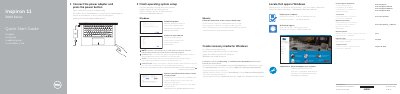
This Dell Quick Start Guide helps users set up the Inspiron 11-3158 notebook. It covers connecting the power adapter, finishing operating system setup, enabling Dell updates, connecting to a network, and signing in to a Microsoft account.
The guide also lists notebook features and ports, shortcut keys, and usage modes including Notebook, Tablet, Tent, and Stand. Support links, regulatory details, and the computer model are provided at the end.
| Computer model | Inspiron 11-3158 |
|---|---|
| Regulatory type | P20T004 |
Connect the power adapter and press the power button.
The computer model is Inspiron 11-3158.
In Windows search, type Recovery, click Create a recovery media, and follow the instructions on the screen.
It has an HDMI port.