
Key facts
- Brand
- Cognex
- Model
- In-Sight 500
- Category
- Industrial Robot
- Industry
- Industrial
- Documents
- 17
- Languages
- EN · ES
- Last added
- 2026-11-21
Start here
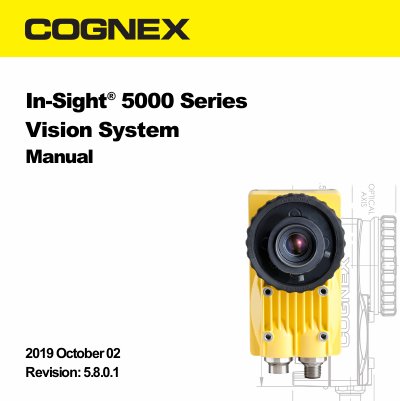
Cognex In-Sight 5000 Series Vision System Manual
This document serves as the user manual for the Cognex In-Sight 5000 Series Vision System. It outlines critical safety precautions, regulatory compliance information, and installation procedures for various models within the series, including the 5100, 5400, 5600, 5700, and 5800 families. The guide emphasizes proper power supply specifications and cable management to ensure safe operation.
Read onlineCognex In-Sight 500 specifications
| Image Resolution | 1024x768 |
|---|---|
| Max Partial Image Acquisition Rate | 500fps |
| Memory | 32MB flash, 256MB RAM |
| Power Supply | PoE Class 3 |
| I/O Ports | 4 inputs and 4 outputs |
| Lens Mount | 2/3" CS-Mount or C-Mount |
All Cognex In-Sight 500 documents by type
Mounting, wiring and first power-up. Read it before the hardware goes in.
Day-to-day operation, settings and troubleshooting. Start here if the product is already set up.
- Cognex In-Sight 5000 Series Vision System Reference Guide 40 p
- Cognex In-Sight 5000 Series Vision System Reference Guide 39 p
- Cognex In-Sight 5000 Series Vision System Manual 76 p
- Cognex In-Sight® 5000 Series Vision System User Manual 76 p
- Cognex In-Sight 5000 Series Vision System Manual 76 p
- Cognex In-Sight 5000 Series Vision System Manual 76 p
- Cognex In-Sight 5000 Series Vision System User Manual 76 p
- Cognex In-Sight® 5000 Series Vision System Manual 76 p
- Cognex In-Sight 5000 Series Vision System Manual 76 p
- Cognex In-Sight 5000 Series Vision System Safety and Regulatory Manual 76 p
- Cognex In-Sight® 5000 Series Vision System Manual 76 p
- Cognex In-Sight 5000 Series Vision System Manual 76 p
- Cognex In-Sight 5000 Series Vision System Reference Guide 39 p
- Cognex In-Sight® 5000 Series Vision System Manual 76 p
Questions answered in these manuals
What is the maximum frame rate for partial image acquisition?
The system can acquire partial images up to 500fps.
Is an external power supply needed for the lighting?
No, the system has built-in lighting and does not require an external power supply for it.
What power supply is required for the In-Sight 5000 series?
A Listed, Direct Plug-In Power Unit with a minimum output rated 24VDC, 600mA and marked Class 2, Limited Power Source (LPS).
From: Cognex In-Sight 5000 Series Vision System Installation Manual
Can the housing be mounted on a conductive surface?
It is strongly recommended to mount the system on an isolated or non-conductive mount if the mounting surface is at a non-zero ground potential.
From: Cognex In-Sight 5000 Series Vision System Installation Manual
What are the environmental hazards to avoid when installing the system?
Do not install the product where it is exposed to excessive heat, dust, moisture, humidity, impact, vibration, corrosive substances, flammable substances, or static electricity.
From: Cognex In-Sight 5000 Series Vision System Reference Guide
Can the image sensor be exposed to laser light?
No, image sensors can be damaged by direct or reflected laser light; use a lens filter if laser light is required.
From: Cognex In-Sight 5000 Series Vision System Reference Guide