
Key facts
- Brand
- Cognex
- Model
- DataMan 8050
- Documents
- 3
- Languages
- JA · EN
- Last added
- 2026-11-09
Start here
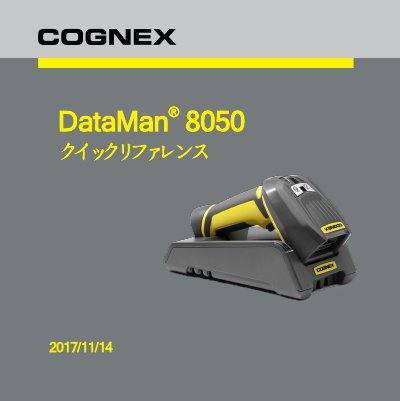
Cognex DataMan® 8050 Quick Start Guide
This guide provides instructions for installing and connecting the DataMan® 8050 barcode reader. It includes details on compatible accessories, cable specifications, and reading range. The device supports multiple connection types including RS-232, USB, and Ethernet. Safety precautions and regulatory compliance are also covered.
The reader is designed for industrial use with IP65 protection and supports both 1D and 2D barcode formats. It can be powered via USB, external power, or PoE. Accessories like base stations and wireless modules are listed with their specifications. This manual is written in Japanese.
Cognex DataMan 8050 specifications
| Weight | 400g (with battery) |
|---|---|
| Operating Temperature | 0ºC~45ºC (32ºF~113ºF) |
| Storage Temperature | -10ºC~60ºC (-14ºF~140ºF) |
| Maximum Humidity | 95% (non-condensing) |
| Protection Rating | IP65 |
| Barcode Formats | 1D: Codabar, Code 39, Code 128, Code 93, Interleaved 2of 5, Pharma, Postal, UPC/EAN/JAN; 2D: Data MatrixTM, QR Code, microQR Code, RSS/CS, PDF 417, MicroPDF 417 |
| Power Requirements | USB: bus power (optional: external power max 2.5W LPS or NEC Class 2 power +5V -+6V DC); RS-232: external power max 2.5W LPS or NEC Class 2 power +6V; Ethernet: Class 2 PoE IEEE 802.3af (only connect to PoE network) |
| Image Sensor | 1/3 inch CMOS |
| Lens Type | 6.2mm F:10 lens with infrared blocking filter |
All Cognex DataMan 8050 documents by type
The shortest path to a working setup, usually only a few pages.
Day-to-day operation, settings and troubleshooting. Start here if the product is already set up.
Questions answered in these manuals
What are the supported barcode formats for the DataMan® 8050?
It supports 1D barcodes including Codabar, Code 39, Code 128, Code 93, Interleaved 2of 5, Pharma, Postal, UPC/EAN/JAN and 2D barcodes including Data MatrixTM, QR Code, microQR Code, RSS/CS, PDF 417, MicroPDF 417.
What is the operating temperature range for the DataMan® 8050?
The operating temperature range is 0ºC to 45ºC (32ºF to 113ºF).
What communication options does the DataMan 8050 support?
It supports USB, RS-232, Bluetooth, and Wi-Fi. Wireless models use an intelligent base station for routing.
What are the operating temperature limits for the DataMan 8050?
The operating temperature range is 0ºC to 45ºC (32ºF to 113ºF).
What communication options are available for the DataMan 8050?
The DataMan 8050 readers are available with USB, RS-232, Bluetooth, and Wi-Fi communication options.
Is an intelligent base station provided with the wireless DataMan 8050?
Yes, an intelligent base station is provided when the DataMan 8050 reader uses Bluetooth or Wi-Fi connection.