
Key facts
- Brand
- Cognex
- Model
- DataMan 70 Series
- Documents
- 5
- Languages
- EN
- Last added
- 2023-10-17
Start here
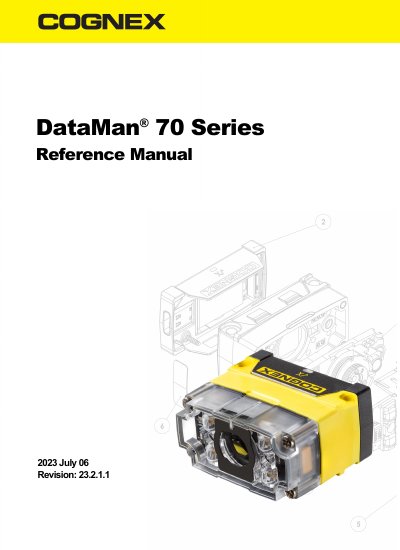
Cognex DataMan 70 Series Reference Manual
This manual provides detailed instructions for using and configuring Cognex DataMan 70 Series ID readers. It covers mounting, optics, lighting, communication options, and maintenance. The document also includes information on accessories such as lens kits and filters, as well as software integration and setup tools.
The DataMan 70 Series is designed for fixed-mount vision applications, supporting 1D and 2D barcode reading, including HotBars™. It offers flexible configuration for different environments and supports USB communication.
Cognex DataMan 70 Series specifications
| Barcode Reading | 1D and 2D code reading, including HotBars™ |
|---|---|
| Communication | USB communications |
| Optics | Flexible optics/lighting for application optimization |
All Cognex DataMan 70 Series documents by type
Day-to-day operation, settings and troubleshooting. Start here if the product is already set up.
Questions answered in these manuals
What is the intended use of the DataMan 70 Series fixed-mount ID reader?
It is an intelligent imager-based system for vision applications that reads various kinds of 1-D and 2-D barcode symbols and highly contrasted, laser-marked direct part marks.
What communication method does the DataMan 70 reader support?
The DataMan 70 readers provide support for USB communications.
What is the DataMan 70 Series used for?
It is an intelligent imager-based system for vision applications including reading of various kinds of 1-D and 2-D barcode symbols and highly contrasted, laser-marked direct part marks.
What are the key features of the DataMan 70?
Superior performance with 1DMax and HotBars™, best-in-class 1D and 2D reading, flexible optics/lighting, and USB connectivity.
What is the DataMan 70 Series used for?
It is an intelligent imager-based system for vision applications including reading of various kinds of 1-D and 2-D barcode symbols and highly contrasted, laser-marked direct part marks.
What software is needed to configure the DataMan 70?
The DataMan Setup Tool software is required to configure the reader, with additional documentation available via the Windows Start menu or the software’s Help menu.