
Key facts
- Brand
- Cognex
- Model
- 360 Series
- Category
- Industrial Robot
- Documents
- 6
- Languages
- ZH · EN
- Last added
- 2026-09-29
Start here
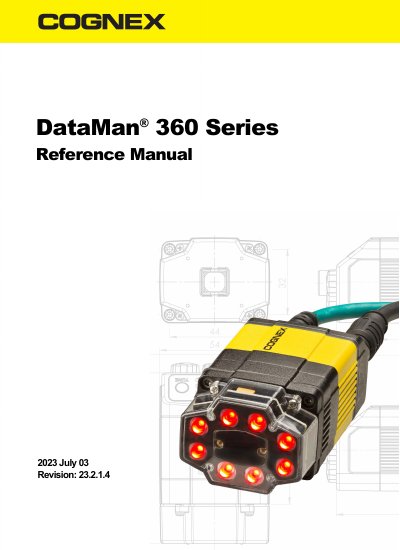
Cognex DataMan 360 Series Reference Manual
This manual provides detailed instructions for installing, configuring, and operating Cognex DataMan 360 Series readers. It covers lens installation, external lighting, trigger options, and industrial protocols. The reader is designed for high-performance 1D and 2D code reading with flexible optics and Ethernet connectivity.
The guide also includes safety information, cleaning procedures, and compliance details for safe operation in industrial environments.
Cognex 360 Series specifications
| Resolution options | 800 × 600, 1280 × 1024, 1600 × 1200 |
|---|---|
| Read rate | 60 reads per second |
| Maximum conveyor speed | 400 ft/min (2.0 m/s) |
| Mean Time Between Failures (MTBF) | 13 years |
| Field‑of‑view increase with Xpand™ | More than 50 % larger |
| Hotbars® capability | Reads severely damaged tags that laser scanners cannot |
Source: Cognex DataMan 360 Series & MX-1000 Airport Baggage Handling Identification (ABH-ID) Solution
All Cognex 360 Series documents by type
Day-to-day operation, settings and troubleshooting. Start here if the product is already set up.
Questions answered in these manuals
What is the MTBF of Cognex DataMan readers?
The DataMan readers have an average MTBF of 13 years.
From: Cognex DataMan 360 Series & MX-1000 Airport Baggage Handling Identification (ABH-ID) Solution
Can the ABH‑ID solution read QR codes?
Yes, the image‑based readers can read QR codes, whereas laser scanners cannot.
From: Cognex DataMan 360 Series & MX-1000 Airport Baggage Handling Identification (ABH-ID) Solution
What is the DataMan 360 Series?
The DataMan 360 series readers are high-performance, fixed-mount ID readers.
What does the DataMan 360 Series support for connectivity?
The DataMan 360 series readers support Ethernet, serial RS-232, and discrete I/O.
What are the advanced features of the DataMan 360 series?
The series offers the highest read rates on 1-D and 2-D codes, the most flexible optics and lighting, and intelligent tuning and express setup.
How can I configure the DataMan 360 reader?
You can configure the reader using the DataMan Setup Tool Help menu after installing the DataMan software on your PC.