
Key facts
- Brand
- Bosch
- Model
- DS6MX-CHI
- Documents
- 2
- Languages
- ZH
- Last added
- 2000-01-01
Start here
Bosch DS6MX-CHI Keyboard Installation Service Manual
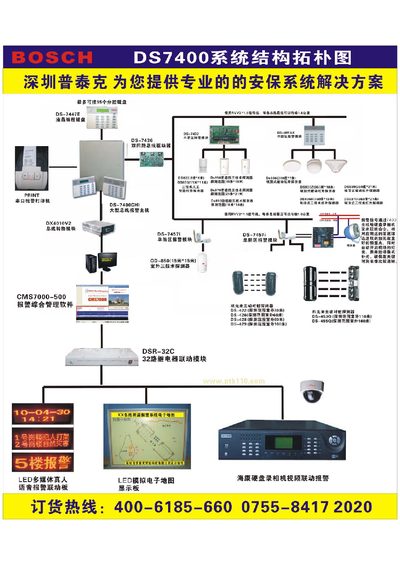
The DS6MX-CHI is a 6‑zone security keyboard that can be used alone or linked to a DS7400XI‑CHI alarm host for residential or commercial security systems. It provides alarm inputs, relay and solid‑state outputs, and supports wireless receivers and remote controls.
This manual covers mechanical installation on walls or switch boxes, detailed wiring diagrams for bus, power, zone and sensor connections, programming procedures, fault monitoring and bus integration with the DS7400XI‑CHI host. This manual is written in Chinese.
Bosch DS6MX-CHI specifications
| Dimensions (H×W×T) | 11.8 cm × 12.4 cm × 3 cm |
|---|---|
| Weight | 500 g |
| Operating temperature | -20 °C to +50 °C |
| Operating humidity | 0 % to 85 % (non‑condensing) |
| Operating voltage | DC 8.5 V – 15 V |
| Standby current | 30 mA |
| Alarm current | 100 mA |
| Programmable output current | up to 500 mA |
| Number of zones | 6 |
| Relay output | NO/NC, 3 A @ 28 V DC |
| Wireless compatibility | RF3212/E receiver |
Source: Bosch DS6MX-CHI Keyboard Installation Service Manual
All Bosch DS6MX-CHI documents by type
Disassembly, diagnostics and part numbers, for repair.
Mounting, wiring and first power-up. Read it before the hardware goes in.
Questions answered in these manuals
How many alarm zones does the DS6MX-CHI support?
The DS6MX-CHI supports six alarm input zones.
What is the procedure to enter programming mode?
Press and hold the door key for 3 seconds; the device will beep and the zone LEDs will flash, indicating programming mode is active.
How do I enter programming mode on the DS6MX-CHI?
Press and hold the [*] key for 3 seconds; the keypad will beep and the zone LEDs will flash, indicating programming mode.
How can I restore the factory default main code?
Turn off power, set jumper J1, turn power back on, then remove jumper J1.