
This guide provides safety warnings and hardware installation instructions for the VIVOTEK ND9541 and ND9441 Network Video Recorders.
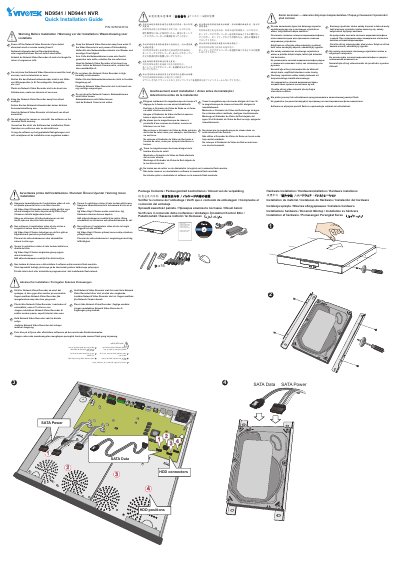
This document serves as a quick installation guide for the VIVOTEK ND9541 and ND9441 Network Video Recorders (NVR). It outlines critical safety precautions that must be observed before installation, including warnings regarding water exposure, heat sources, humidity, and smoke detection. Users are instructed to power off the device immediately if it becomes wet, emits smoke, or produces an abnormal smell. The guide also advises against placing the unit in high humidity environments or near heat sources like televisions or ovens, and warns against direct sunlight exposure. Additionally, it explicitly states that software on the mounted flash memory should not be removed or uninstalled by the user.
You must power off the Network Video Recorder immediately.
Do not place the Network Video Recorder in high humidity environments or around heat sources such as a television or oven.
Power off the Network Video Recorder immediately.