
Quick Installation Guide for 5MP Full HD Fixed Dome Network Camera

This document is a quick installation guide that provides installation steps and precautions for a 5MP Full HD fixed dome network camera.
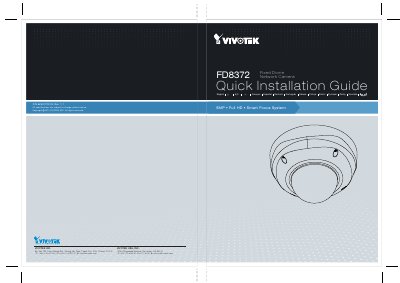

Quick Installation Guide for 5MP Full HD Fixed Dome Network Camera - cover page
Brand
Vivotek
Category
Other Electronics
Document type
Quick Start Guide
Language
Chinese
Pages
14
File format
PDF
File size
5.8 MB
Published
01 February, 2023
Updated
28 September, 2023
MD5 checksum
ACCB7AEAF5A9633A86EFF00DC8B2E0AB

About this manual

This document serves as a Quick Installation Guide for the VIVOTEK FD8372 Fixed Dome Network Camera. It covers essential steps for hardware installation, including mounting the camera on a ceiling or wall, connecting power and data cables, and configuring network settings via PoE or non-PoE switches. The guide also includes instructions for initial software setup and lens adjustment. This manual is written in Chinese.

What's inside

  • Hardware Installation
  • Cable Connection
  • Wall Mounting
  • Ceiling Mounting
  • Network Connectivity
  • PoE Setup
  • Software Installation
  • Lens Adjustment

Specifications

Resolution5MP
Focus SystemSmart Focus System
Power InputAC 24V±10%

Frequently asked questions

What is the power requirement for the camera?

The camera requires an AC 24V±10% power supply.

What is the maximum effective distance of the infrared lights on this camera?

The infrared lights have an effective distance of up to 20 meters.

What is the maximum load capacity for the 12V DC power output?

The maximum load for the 12V DC power output is 50 milliamps.

What is the recommended cable diameter for the input/output connections?

The guide recommends using cables with a diameter of 2.0 to 2.8 millimeters.

Download PDF (5.8 MB)

More Vivotek Manuals


View all Vivotek manuals →