
Logitech Surround Sound Speaker System Z906 user guide covering placement, connections, controls, testing, and specifications.
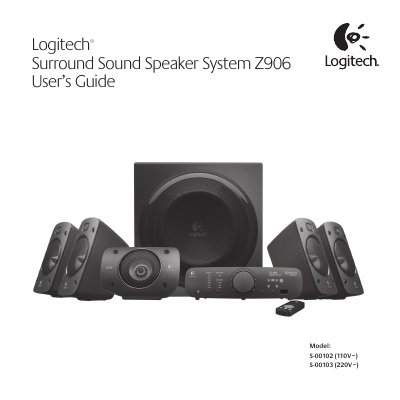
Logitech Surround Sound Speaker System Z906 is a THX-certified 5.1 speaker system with onboard Dolby Digital and DTS Digital Surround decoding. The guide covers speaker placement, cable connections, control console and remote operation, input selection, sound effects, testing, and performance specifications.
The package includes four satellite speakers, a center satellite speaker, a subwoofer, a control console, a remote control, speaker wire, a 6-channel direct input cable, batteries, and user documentation. The system provides 500 watts RMS total power, with a 165-watt subwoofer and five 67-watt satellite channels.
| Total power | 500 watts RMS |
|---|---|
| Subwoofer power | 165 watts (6 ohms, at 52 Hz, at 10% THD) |
| Satellite power | 335 watts RMS (5 x 67 watts per channel) |
| Maximum SPL | >110 dBC |
| Frequency response | 35 Hz – 20 KHz |
| Amplifier | Ultra Efficient Class D |
| Input impedance | 8,000 ohms minimum |
| Signal-to-noise ratio | >95 dB A-weighted |
| Satellite drivers | 3-inch polished aluminum phase plug drivers |
| Subwoofer driver | 8-inch high-excursion ported driver with 6th-order bass reflex enclosure |
| Supported digital formats | Dolby Digital and DTS Digital Sound |
| Source inputs | Digital coaxial; digital optical (2); 6-channel direct (3 x 3.5 mm); stereo (RCA); analog stereo-mini (3.5 mm) |
| Power input | 110V ~ 60Hz 1A (Model S-00102) or 220V ~ 50/60Hz 550mA (Model S-00103) |
Press and hold the INPUT button on the remote control or control console for 5 seconds to enter test mode; the system then cycles through each speaker with an audible test signal.
Stereo 3D, Stereo 4.1, and Stereo 2.1.
It can be placed anywhere; for the strongest bass, place it near a wall or corner, or under a desk, with nothing closer than 16 cm to the driver or bass port.