
This startup guide covers setup, features, and troubleshooting for the Logitech MK240 wireless keyboard and mouse combo.
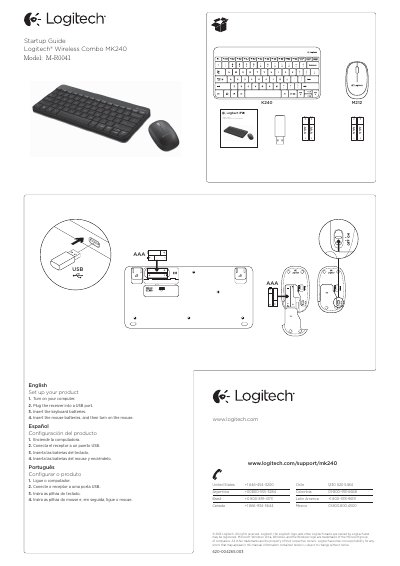
This document serves as a startup guide for the Logitech Wireless Combo MK240, which includes a K240 keyboard and an M212 mouse. It provides step-by-step instructions to set up the product by connecting the USB receiver and inserting batteries. The guide also directs users to Product Central online for additional support.
Turn on your computer, plug the receiver into a USB port, insert the keyboard batteries, and then insert the mouse batteries before turning it on.
Pressing Fn + F5 launches the media player.
Ensure the device is on, check the receiver connection, try a different USB port, and verify battery orientation.