
Logitech GROUP User Manual

Instructions for connecting, using, and controlling the Logitech GROUP camera and speakerphone via USB, Bluetooth, and video applications.
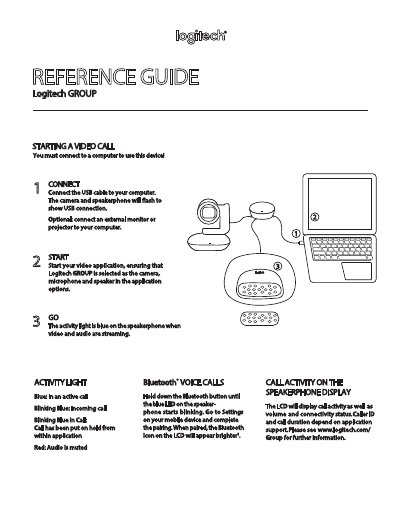

Logitech GROUP User Manual - cover page
Brand
Logitech
Category
Other Electronics
Document type
User Manual
Language
English
Pages
2
File format
PDF
File size
1.1 MB
Published
16 October, 2026
Updated
16 October, 2026
MD5 checksum
B729D2E5864B6CA5C9342325C89C25E6

About this manual

This manual provides instructions for connecting the Logitech GROUP device to a computer using a USB cable and setting up video applications. It covers starting video calls, interpreting activity lights, and managing Bluetooth pairing for mobile devices.

What's inside

  • Connect
  • Starting a Video Call
  • Call Activity on the Speakerphone Display
  • Bluetooth
  • Voice Calls
  • Camera Presets
  • Microphone Mute
  • Far End Control
  • Controls Reference Guide

Frequently asked questions

What does a blinking blue light indicate on the speakerphone?

A blinking blue light indicates an incoming call.

What does a red light indicate on the speakerphone?

A red light indicates that the audio is muted.

How do you define a new camera preset position?

Press and hold the camera preset buttons to define new positions.

Download PDF (1.1 MB)

More Logitech Manuals


View all Logitech manuals →