
Linksys PAP2 Phone Adapter for VoIP installation and troubleshooting guide with connection steps, voice response menu settings, specs, and FAQs.
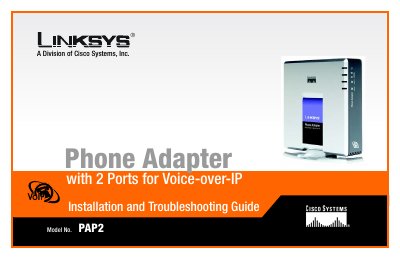
The Linksys PAP2 Phone Adapter with 2 Ports for Voice-over-IP lets you make phone or fax calls over a broadband connection. It connects phones or fax machines to a network router or gateway, and its two phone ports can support separate phone service and phone numbers.
This Installation and Troubleshooting Guide covers the adapter's back and front panels, connection instructions, placement options, the Interactive Voice Response menu, troubleshooting, a glossary, specifications, warranty and regulatory information, and Linksys contact details.
| Model | PAP2 |
|---|---|
| Standards | SIP v2 Session Initiation Protocol (RFC 3261, 3262, 3263, 3264) |
| Voice Codecs | G.729 A+B, G.711 a-law, G.711µ-law, G.726 |
| Ports | Power, Ethernet, Phone 1, Phone 2 |
| Cabling Type | CAT 5 (RJ45) for Ethernet Port and RJ11 for Phone Ports |
| Maximum Ringer Load | 5 REN |
| Ring Frequency | 10-40 Hz |
| Ring Voltage | 60-90 Vrms Configurable |
| Dimensions | 3.98" x 3.98" x 0.59" (W x H x D) (101 mm x 101 mm x 15 mm) |
| Power | 5 V DC, 2.0 A |
| Certifications | FCC, cUL, CE |
It allows you to make phone or fax calls using your broadband connection.
The adapter supports up to two phone lines, with separate service and phone numbers for each telephone jack.
It means the Phone Adapter has failed its self-test or is malfunctioning; refer to the troubleshooting appendix.
It connects the Phone Adapter to your router or gateway using a Category 5 (or better) Ethernet network cable.