
First step guide for IAI Touch Panel Teaching units covering product checks, specifications, operation menus, and troubleshooting.
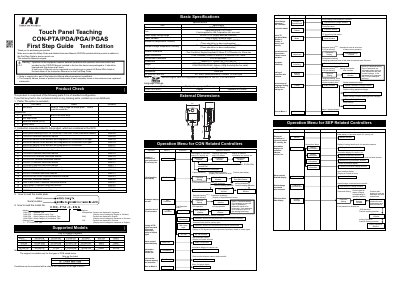
This document serves as a First Step Guide for the IAI Touch Panel Teaching series, including models CON-PTA, CON-PDA, CON-PGA, and PGAS. It outlines the standard product components, instructions for reading model plates, and lists supported controller models. The guide also details basic specifications such as power requirements, environmental conditions, and physical dimensions.
| Screen Type | TFT Color LCD |
|---|---|
| Power supply voltage range | DC24V ±10% |
| Power Demand | 3.6W or less |
| Ambient air temperature | 0 to 40 °C |
| Dimensions | 180mm (L) × 132mm (W) × 92.1mm (D) |
| Weight (CON-PTA) | Approx. 570g |
| Weight (CON-PDA/PGA/PGAS) | Approx. 600g |
| Cable length | 5m (Standard) |
The default system password is 5119.
The device supports SD and SDHC cards manufactured by Toshiba with 1G to 8G byte capacity.