
Quick reference guide for ergonomic setup, movement, and battery charging of the ENSTYLEVIEW® cart.
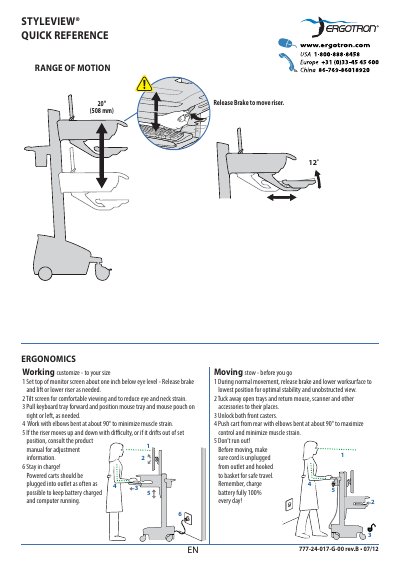
This guide provides ergonomic setup instructions for optimal viewing and reduced strain. It includes steps for adjusting screen height, keyboard tray, and mouse position. It also covers safe movement, battery charging, and power system indicators.
Battery status is shown via colored lights and alarms, with instructions to charge to 100% daily. The cart can be used while charging, and the power system can be toggled on or off via dedicated buttons.
| Battery Charge Indicator | Red, yellow, or green lights with alarm at <30% |
|---|---|
| Battery Charge Requirement | 100% daily |
| Keyboard Light Function | Turns off after 15 minutes if not manually turned off |
The battery status is shown via colored lights and an alarm that beeps when charge gets below 30%.
Yes, you can use the cart while charging, and it is recommended to plug in the cord as often as possible.
Frequent operation below 30% charge will significantly reduce battery life.