
StyleView® HD Combo System is a display stand that can meet the installation needs of displays of different weights, with a maximum support of 45 pounds (20.8 kilograms). The product also has a keyboard storage function, which can effectively save space.
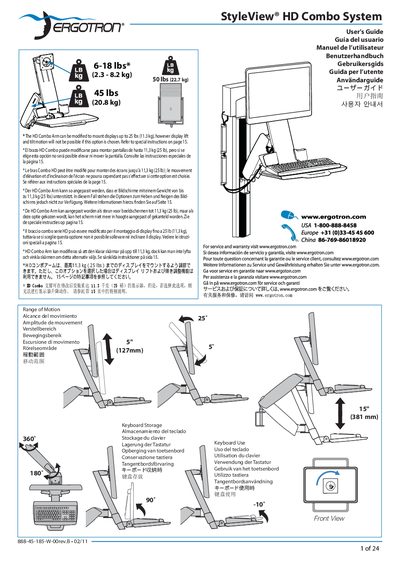
The guide explains how to configure the workstation ergonomically, including screen height, keyboard position, viewing distance, and recommended break intervals. It also describes the range of motion, keyboard storage options, and how to adjust the arm for different display weights.
Detailed mounting instructions cover wall‑track dimensions, required wall material thickness, anchor depth, and optional weight‑capacity modifications. Safety warnings stress consulting a professional when mounting on varied surfaces and outline the limits of lift and tilt functions when the optional 25 lb capacity is selected.
| Standard weight capacity | 6‑18 lb (2.3‑8.2 kg) |
|---|---|
| Maximum weight with optional modification | 25 lb (11.3 kg) |
| Range of motion | 5 in (127 mm) |
| Wall bracket width | 241 mm |
The top of the screen should be positioned slightly below eye level.