
This file is a manual for the LX bracket, which introduces the bracket's features, specifications, installation methods and other information.
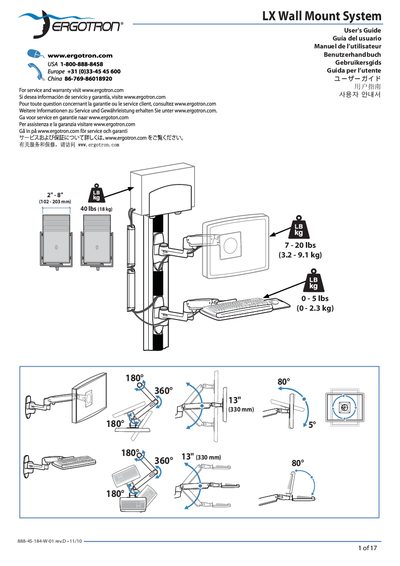
The Ergotron LX Wall Mount System User's Guide is a multilingual installation manual for a wall mount system. It lists weight ranges including 7–20 lbs (3.2–9.1 kg) and 0–5 lbs (0–2.3 kg), with 40 lbs (18 kg) also stated, and provides dimensional and angle values such as 13" (330 mm) and 2" - 8" (102 - 203 mm).
The guide provides mounting height tables, hardware lists for wood stud and hollow wall installation, and ergonomic recommendations for screen height, distance, angle, and keyboard placement to reduce fatigue.
| Weight capacity | 7 - 20 lbs (3.2 - 9.1 kg) |
|---|---|
| Weight capacity | 0 - 5 lbs (0 - 2.3 kg) |
| Maximum weight | 40 lbs (18 kg) |
| Extension range | 2" - 8" (102 - 203 mm) |
| Mounting height adjustment | 13" (330 mm) |
Add 3.5" (89 mm) to the mounting height from the table.
Position the screen an arm's length from the face, at least 20" (508 mm).
Subtract 1" (25 mm) from the mounting height when applicable.