
Guide for setting up and using the ROHM BU21078MUV-EVK-001 evaluation board with the Sensor Shield and Arduino IDE.
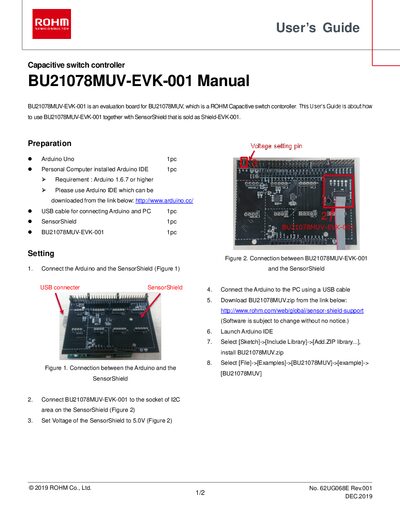
The User's Guide describes the required hardware and software to evaluate the BU21078MUV capacitive switch controller on the BU21078MUV‑EVK‑001 board. Required items include an Arduino Uno, a PC with Arduino IDE (v1.6.7 or later), a USB cable, the Sensor Shield (Shield‑EVK‑001), and the evaluation board itself.
The guide walks through connecting the board to the Sensor Shield via the I2C socket, powering the shield at 5 V, installing the BU21078MUV library in the Arduino IDE, uploading example code, and monitoring output at a baud rate of 115200. Legal and safety notices are provided at the end of the document.
| Operating voltage | 5.0 V |
|---|---|
| Interface | I2C |
| Arduino IDE minimum version | 1.6.7 |
| Serial monitor baud rate | 115200 |
Arduino IDE version 1.6.7 or higher is required.
Download the BU21078MUV.zip file, then select Sketch → Include Library → Add .ZIP library… and choose the downloaded zip file.
Select the COM port that corresponds to the Arduino/Genuino Uno (shown as COMxx, which varies per system).
Set the baud rate to 115200 to view the board’s output.