
The Dell Latitude 15 5000 Series Quick Start Guide provides information on connecting the power adapter, completing Windows setup, connecting to a network, signing in to a Microsoft account or creating a local account, exploring resources, getting help and tips, registering the computer, and more.
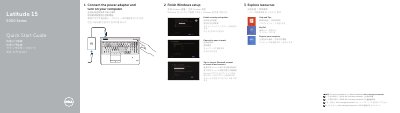
This Dell Latitude 15 5000 Series Quick Start Guide shows how to connect the power adapter and turn on the computer. It then covers finishing Windows setup: enabling security and updates, connecting to a network, and signing in to a Microsoft account or creating a local account.
The guide also lists resources such as Help and Tips, My Dell, and computer registration. It identifies the computer model as Latitude 15-E5550/5550 and lists features including network, VGA, USB 3.0, HDMI, headset, and power connectors, plus camera, microphone, memory-card reader, fingerprint reader, smart-card reader, speakers, touchpad, and status lights.
| Computer model | Latitude 15-E5550/5550 |
|---|---|
| Regulatory model | P37F |
| Regulatory type | P37F001 |
Connect the power adapter and turn on your computer.
It includes enabling security and updates, connecting to your network, and signing in to a Microsoft account or creating a local account.
The guide points to the Owner’s Manual at dell.com/support/manuals.
The resources include Help and Tips, My Dell, and computer registration.