
The Dell XFP module is a hot-pluggable optical transceiver that complies with the 10 Gigabit Ethernet 10GBase-SR (Short Reach) and 10GBase-LR (Long Reach) standards.
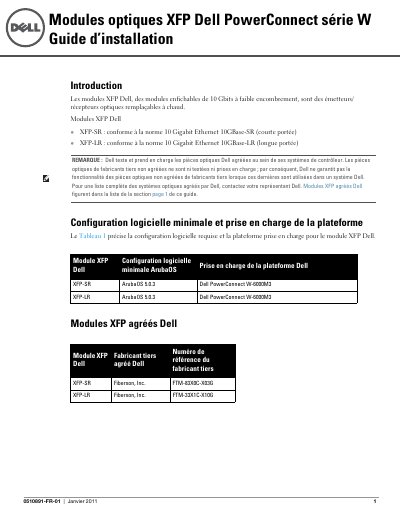
This French-language installation guide from Dell covers the Dell XFP optical modules, described as hot-swappable 10 Gbit small-form-factor optical transmitters/receivers. Two variants are presented: the XFP-SR, compliant with 10 Gigabit Ethernet 10GBase-SR (short range), and the XFP-LR, compliant with 10 Gigabit Ethernet 10GBase-LR (long range). A table lists the minimum software configuration (ArubaOS 5.0.3) and the supported platform (Dell PowerConnect W-6000M3) for both modules, and a second table gives the Dell-approved third-party manufacturer and part numbers.
The guide then provides physical and optical specifications for each module, including connector type, wavelength, receive and transmit power and supported distances. Step-by-step procedures with illustrations explain how to install an XFP into a 10GBase-X port and how to remove it, followed by safety and regulatory information on laser class 1 compliance, WEEE disposal, RoHS, open source code and Dell support contacts. This manual is written in French.
| Form factor | 10 Gbit hot-swappable small-form-factor pluggable module |
|---|---|
| Connector type | LC fiber optic |
| XFP-SR wavelength | 850 nm |
| XFP-SR receive power | -1 to -11.1 dBm |
| XFP-SR transmit power | -7.3 to -1.0 dBm |
| XFP-SR distance (50 µm, 2000 MHz/km fiber) | ~300 m |
| XFP-LR wavelength | 1310 nm nominal, spectral width < 1 nm |
| XFP-LR distance (9 µm core) | ~10 km |
| Minimum software | ArubaOS 5.0.3 |
| Supported platform | Dell PowerConnect W-6000M3 |
| Laser classification | Class 1 laser product |
Both the XFP-SR and XFP-LR require ArubaOS 5.0.3 and are supported on the Dell PowerConnect W-6000M3.
The XFP-SR uses an LC fiber optic connector at a wavelength of 850 nm.
After taking standard ESD precautions, slide the XFP top side up into a 10GBase-X port until it is connected and clicks, then lock the port by turning the module's latch upward.
Fiberxon, Inc. part number FTM-83X0C-X03G is listed as the approved third-party reference for the XFP-SR.