
Dell Inspiron 5548 Notebook Quick Start Guide

The Dell Inspiron 5548 Notebook Quick Start Guide provides information on how to set up and use the Dell Inspiron 5548 Notebook.
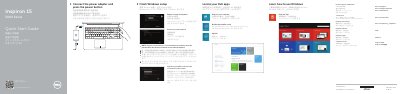

Dell Inspiron 5548 Notebook Quick Start Guide - cover page
Brand
DELL
Category
Laptops
Document type
Quick Start Guide
Language
Chinese
Pages
2
File format
PDF
File size
772 KB
Published
26 November, 2023
Updated
26 November, 2023
MD5 checksum
43A11A8E90843CB3F588B0035DA5BCA3

About this manual

This document serves as a Quick Start Guide for the Dell Inspiron 5548 notebook. It covers essential initial setup steps such as finishing Windows configuration, connecting the power adapter, and registering the computer. The guide also directs users to Dell's support website for further assistance. This manual is written in Chinese.

What's inside

  • Finish Windows setup
  • Register your computer
  • Product support and manuals
  • Contact Dell
  • Regulatory and safety
  • Features
  • Shortcut keys

Frequently asked questions

How do I start using the notebook for the first time?

Connect the power adapter and press the power button.

What should I enter when connecting to a secured wireless network?

Enter the password for wireless network access when prompted.

How many USB 3.0 ports does the notebook have?

It has two USB 3.0 ports.

What optional camera is listed among the features?

An Intel RealSense 3D camera is optional.

Download PDF (772 KB)

More DELL Manuals


View all DELL manuals →