
Dell Latitude 12 5000 Series (Latitude 5285) 2-in-1 Notebook Quick Start Guide

The Dell Latitude 12 5000 Series 2-in-1 Notebook Quick Start Guide.
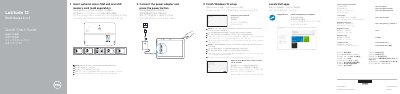

Dell Latitude 12 5000 Series (Latitude 5285) 2-in-1 Notebook Quick Start Guide - cover page
Brand
DELL
Category
Laptops
Document type
Quick Start Guide
Language
English
Pages
2
File format
PDF
File size
777 KB
Published
26 November, 2023
Updated
26 November, 2023
MD5 checksum
B0D93848F4FDBDF40E8CFB01170D7A14

About this manual

This quick start guide covers initial setup of the Dell Latitude 5285 2-in-1: inserting optional micro-SIM and microSD cards, connecting the power adapter, finishing Windows 10 setup, connecting to a network, signing in, locating Dell apps, and running SupportAssist.

It also identifies the device features and ports, explains kickstand deployment and tablet use orientation, and provides regulatory, safety, RoHS, and system-information details.

What's inside

  • Insert optional micro-SIM and microSD card
  • Connect power adapter and power on
  • Finish Windows 10 setup
  • Connect to your network
  • Sign in to Microsoft or local account
  • Locate Dell apps and SupportAssist
  • Features and port layout
  • Deploy kickstand
  • Tablet use orientation note
  • Regulatory, safety, and RoHS information

Specifications

Rated voltage100-240 V AC
Rated frequency50-60 Hz
Rated input current1.3 A / 1.7 A
WWAN transmitter body distance15 mm (0.59 inches) or greater

Frequently asked questions

Where are the microSD and optional micro-SIM slots located?

They are located under the kickstand.

How do I check the computer model in Windows?

In Windows Search, type System, then click System in the search results.

How do I check the computer model in Ubuntu?

On the desktop, click the menu and select About This Computer.

Download PDF (777 KB)

More DELL Manuals


View all DELL manuals →