
This document is a quick start guide for Dell computers, and introduces how to set up and use a Dell computer.
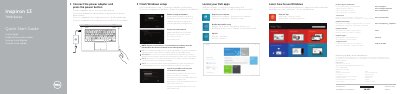
This Dell Quick Start Guide covers initial setup of the Inspiron 13-7348, including finishing Windows setup, locating Dell apps, connecting the power adapter, enabling security and updates, connecting to a network, and signing in with a Microsoft or local account.
The guide also identifies the computer features and ports, lists keyboard shortcut keys, and shows the available Notebook, Tablet, Tent, and Tablet Stand modes. Regulatory information lists model P57G and regulatory type P57G001.
| Computer model | Inspiron 13-7348 |
|---|---|
| Regulatory model | P57G |
| Regulatory type | P57G001 |
| Input voltage | 100 V AC–240 V AC |
| Input frequency | 50 Hz–60 Hz |
| Input current | 1,60 A/1,70 A |
| Output voltage | 19,50 V CC |
| Output current | 3,34 A |
| Country of origin | Made in China |
| Ports | HDMI, USB 3.0 with PowerShare, USB 3.0, USB 2.0, headset, media-card reader |
Connect the power adapter and press the power button.
Enter the password for wireless network access when prompted.
Sign in to your Microsoft account or create a local account.
See Specifications at dell.com/support.