
Dell Vostro 15 3000 Series Laptop Quick Start Guide
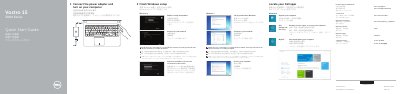
The Dell Vostro 15-3558 Quick Start Guide provides essential instructions for setting up the laptop, including connecting power, completing Windows setup, and configuring network and account settings.
It also includes a detailed map of the device's hardware features, such as ports and buttons, and a list of available keyboard shortcut keys for system control.
You must enter the password for the wireless network access when prompted.
Pressing the power button turns on the computer.