
Dell Precision 7920 Rack Workstation Quick Start Guide

Dell EMC Precision 7920 Rack Workstation Quick Start Guide
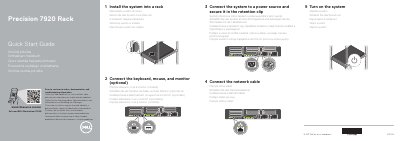

Dell Precision 7920 Rack Workstation Quick Start Guide - cover page
Brand
DELL
Category
Desktops
Document type
Quick Start Guide
Language
English
Pages
2
File format
PDF
File size
113 KB
Published
26 November, 2023
Updated
26 November, 2023
MD5 checksum
C9A2373574E3E730265DB30701A171F3

About this manual

This quick start guide covers installing the Dell Precision 7920 Rack workstation into a rack, connecting peripherals, power, and network, and turning on the system.

It also identifies system components and provides product support, manual, regulatory, and safety references.

What's inside

  • Install the system into a rack
  • Connect the keyboard, mouse, and monitor
  • Connect to a power source
  • Connect the network cable
  • Turn on the system
  • Features
  • Product support and manuals
  • Regulatory and safety

Specifications

USB 2.0 ports2
USB 3.0 port1
USB 3.0 ports2
PCIe expansion card slots8
Network ports4
Power supplies2
Optical driveOptional

Frequently asked questions

How many installation steps does the guide list?

It lists five steps, from installing the system in a rack to turning it on.

Where can I find product support and manuals?

Dell provides product support and manuals at Dell.com/support.

How many power supplies does the system have?

The system has two power supplies.

How many network ports are listed?

The guide lists four network ports.

Download PDF (113 KB)

More DELL Manuals


View all DELL manuals →