
Quick Start Guide for Dell Inspiron 15 3000 Series Laptop.
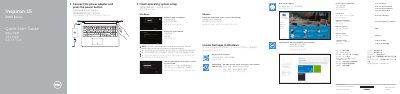
This Quick Start Guide for the Dell Inspiron 15 3000 Series (computer model Inspiron 15-3559) explains how to connect the power adapter, finish the Windows or Ubuntu operating system setup, and connect to a network. It is printed in English, Simplified Chinese, Traditional Chinese and Korean.
The guide also identifies the laptop's 19 numbered features, such as the camera, HDMI port, USB 3.0 port, media-card reader and battery-release latch, lists the keyboard shortcut keys, and points to Dell apps including SupportAssist, Dell Backup and Recovery, and Dell Help & Support. Regulatory model is P47F, regulatory type P47F004.
| Rated voltage | 100 - 240 V AC |
|---|---|
| Rated frequency | 50 - 60 Hz |
| Rated input current | 1.30 A (45 W) / 1.70 A (65 W) |
| Regulatory model | P47F |
| Regulatory type | P47F004 |
| Ports and connectors | Network port, HDMI port, USB 3.0 port, headset port, 2 USB 2.0 ports, media-card reader |
The guide lists Dell.com/support, Dell.com/support/manuals, Dell.com/support/windows and Dell.com/support/linux for product support, manuals and more information.
The regulatory model is P47F and the regulatory type is P47F004.
When prompted, enter the password for wireless network access.
The guide lists SupportAssist, Dell Backup and Recovery, and Dell Help & Support, which can be located in Windows.