
Dell V505 Printer Installation Guide

This document describes the installation steps for the Dell™ printer.
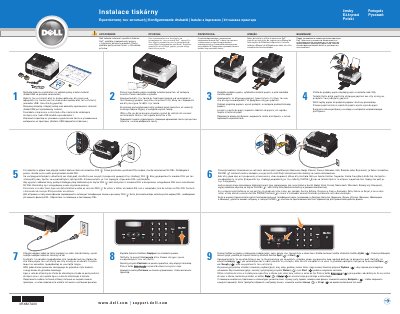

Dell V505 Printer Installation Guide - cover page
Brand
DELL
Category
Printer
Document type
Installation Guide
Language
MUL
Pages
2
File format
PDF
File size
2.5 MB
Published
25 November, 2023
Updated
25 November, 2023
Model
V505
MD5 checksum
ABC0B290C34BFC688D84FA9FC0DBBAF2

About this manual

This Dell V505 printer installation guide presents setup instructions in Czech, Greek, Polish, Portuguese and Russian. It covers unpacking the printer, raising the control panel, loading paper, connecting the power cable, turning the printer on, and entering language, country, date, time and fax details.

The guide also explains fax-related connections: removing the blue plug from the PHONE connector and fitting the yellow terminator where telephone communication is serial, connecting an active telephone line to the FAX connector, and installing a DSL filter when a DSL modem is used with the computer.

What's inside

  • Unpacking the printer
  • Raising the control panel
  • Loading paper
  • Connecting the power cable
  • Turning on the printer
  • Setting language, country, date, time and fax details
  • Connecting a telephone line for faxing
  • Installing a DSL filter
  • PHONE connector termination

Frequently asked questions

What should I read before installing and using the Dell printer?

Read the safety instructions in the Product Information Guide and the full feature list in the User's Guide.

How do I turn on the printer?

Press the Power button on the control panel.

How do I connect the printer for sending and receiving faxes?

Connect an active telephone line to the FAX connector.

What should I do if I use a DSL modem with the computer?

Install a DSL filter.

Download PDF (2.5 MB)

More DELL Manuals


View all DELL manuals →