
This document describes the steps to set up and operate a Dell computer, including connecting the keyboard and mouse, connecting to the network, connecting peripherals, connecting power cables, and pressing the power button.
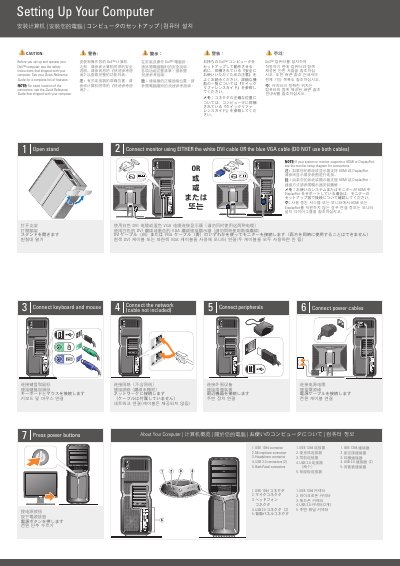
The Dell Computer Setup and Operation Guide provides step-by-step instructions for initializing a Dell computer. It covers the physical connection of essential hardware and peripherals to ensure the system is ready for use.
The guide includes a visual checklist for connecting the monitor, keyboard, mouse, network cables, and power sources, while referencing a Quick Reference Guide for detailed feature lists and connector locations.
| USB Connectors | USB 2.0 (2) |
|---|
Use either the white DVI cable or the blue VGA cable, but do not use both simultaneously.
Users should review the safety instructions that shipped with the computer.