
This document describes how to set up a Dell computer.
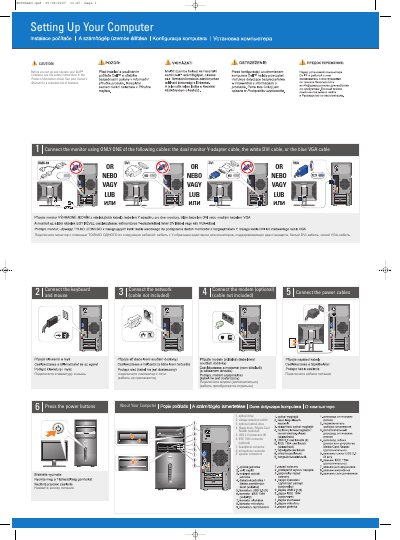
This short setup guide explains how to connect a Dell Vostro desktop computer, including the monitor, keyboard, mouse, network, optional modem, and power cables, then press the power buttons.
It also identifies front-panel components such as the optical drive, USB 2.0 connectors, IEEE 1394 connector, headphone and microphone connectors, and speaker connectors, and points readers to the Owner's Manual or support.dell.com for more information.
| USB 2.0 connectors | 8 |
|---|---|
| IEEE 1394 connector | Optional |
| Floppy drive / Media Card Reader | Optional |
Use only one of the dual monitor Y-adapter cable, the white DVI cable, or the blue VGA cable.
See the Owner's Manual; if you do not have a printed copy, click the Documentation and Support icon on the desktop or go to support.dell.com.
It includes Internet service, a cable or DSL modem, a wireless router, and a desktop computer with a network adapter or USB wireless adapter.