
Dell Latitude 7389 Quick Start Guide
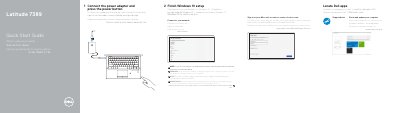
This guide walks through the first steps to set up the Dell Latitude 7389: connect the power adapter, press the power button, complete Windows 10 setup, join a network, sign in with a Microsoft account or create a local account, and locate Dell applications such as SupportAssist for system updates.
The document also illustrates the laptop's physical features — including optional IR camera, fingerprint reader, NFC sensor, and various ports (USB 3.1 Gen 1 with PowerShare, HDMI, DisplayPort over USB Type‑C, microSD and uSIM slots) — and provides links to product support, manuals, regulatory compliance, and contact information.
| USB 3.1 Gen 1 port with PowerShare | Present |
|---|---|
| HDMI port | Present |
| DisplayPort over USB Type-C | Present (two ports) |
| microSD card slot | Present |
| uSIM card slot | Present |
| Noble Wedge lock slot | Present |
Connect the power adapter and press the power button.
Visit Dell.com/support or Dell.com/support/manuals.