
Dell Inspiron 14-5443 Notebook Quick Start Guide

The Dell Inspiron 14-5443 Notebook Quick Start Guide provides information on unpacking, setting up, and using your notebook.
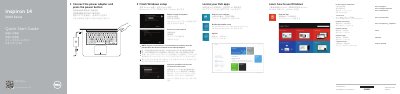

Dell Inspiron 14-5443 Notebook Quick Start Guide - cover page
Brand
DELL
Category
Laptops
Document type
Quick Start Guide
Language
English
Pages
2
File format
PDF
File size
843 KB
Published
25 November, 2023
Updated
25 November, 2023
MD5 checksum
47261B141784E49C572E764CE0CBDA10

About this manual

The Dell Inspiron 14-5443 Quick Start Guide provides essential instructions for setting up the notebook, including connecting power, network configuration, and account creation.

It includes a detailed map of the device's hardware features and a list of available keyboard shortcut keys for audio, display, and system control.

What's inside

  • Finish Windows setup
  • Help and Tips
  • Features
  • Shortcut keys

Frequently asked questions

What should I do if I am connecting to a secured wireless network?

Enter the password for the wireless network access when prompted.

How many USB 3.0 ports does the notebook have?

The notebook has two USB 3.0 ports.

What should you do when connecting to a secured wireless network?

Enter the password for the wireless network access when prompted.

Download PDF (843 KB)

More DELL Manuals


View all DELL manuals →