
This document provides instructions on how to use a Dell computer, including how to connect the AC power adapter, how to turn on the power, and how to connect to a wireless network.
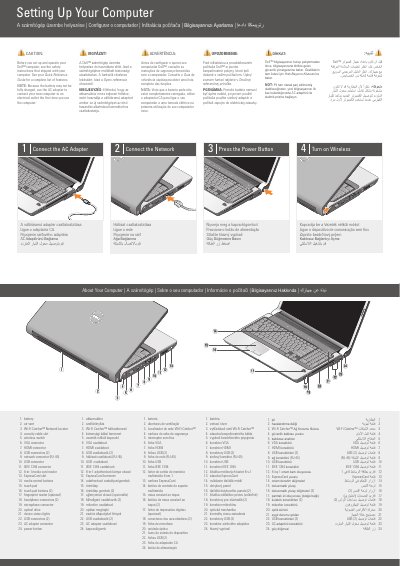
This document provides basic instructions for setting up a Dell computer, including connecting the AC adapter, network, and powering on the device. It includes a multilingual guide for English, Hungarian, Portuguese, Slovak, Turkish, and Arabic speakers.
The guide features a detailed hardware map identifying various ports and components such as the Wi-Fi Catcher, HDMI and VGA connectors, USB ports, and the fingerprint reader.
| Media Card Reader | 8-in-1 |
|---|---|
| Network Connector | RJ-45 |
Use the AC adapter to connect the new computer to an electrical outlet the first time it is used.
Use the AC adapter; the battery may not be fully charged.
See the safety instructions that shipped with your computer.
It is an RJ-45 network connector.