
Dell Networking W-IAP205H Instant Access Point Installation Guide The Dell Networking W-IAP205H Instant access point is a high-performance dual-radio wired and wireless Instant access point for hospitality and branch deployments. This device combines high-performance wireless mobility with Gigabit wired local access to deliver secure network access to dormitories, hotel rooms, classrooms, medical clinics, and multi-tenant environments. MIMO (Multiple-Input, Multiple- Output) technology enables the W-IAP205H access point to provide wireless 2.4 GHz 802.11n and 5 GHz 802.11 n/ac functionality, while simultaneously supporting existing 802.11a/b/g wireless services. The W-IAP205H access point can be attached to a wall box using the mounting bracket provided, or converted into a desk-mounted remote access point for branch office deployments using the AP-205H-MNTR desk mount kit (sold separately). The W-IAP205H access point works in conjunction with a built-in virtual controller and provides the following capabilities: • Dual wireless transceivers • IEEE 802.11a/b/g/n/ac operation as a wireless access point • IEEE 802.11a/b/g/n/ac operation as a wireless air monitor, spectrum analyzer • Supports PoE-in on E0 port (only), and PoE-out on E3 port (only) • Compatibility with IEEE 802.3af/at PoE • Support for selected USB peripherals Package Contents • W-IAP205H Access Point • Single Gang Wall-box Mounting Bracket • 2x #6-32 Machine Screw • T8H Torx Security Screw • Instant Quick Start
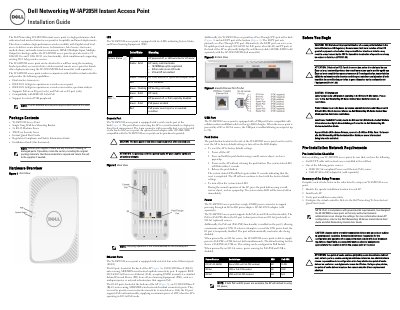
The Dell W-IAP205H Instant Access Point is a high-performance dual-radio wired and wireless access point designed for hospitality and branch deployments. It combines wireless mobility with Gigabit wired local access, supporting 802.11n on 2.4 GHz and 802.11n/ac on 5 GHz, and includes MIMO technology.
The installation guide covers package contents, hardware overview (LEDs, console port, Ethernet ports, USB port, push button), power options (PoE-in on E0, PoE-out on E3, DC adapter), pre-installation requirements, setup steps, LED status meanings, power source restrictions, and regulatory statements. The device requires Dell Instant 4.2 or later and can be wall-mounted or desk-mounted with optional kit.
| Wireless Standard | 802.11a/b/g/n/ac |
|---|---|
| Radio Bands | 2.4 GHz and 5 GHz |
| MIMO | Supported |
| Ethernet Ports | Four 10/100/1000 Base-T ports (E0-E3) |
| PoE Input | 802.3af/at on E0 port |
| PoE Output | Up to 10W on E3 port (802.3at mode) |
| USB Port | Supports cellular modems and BLE dongles, up to 5W |
| Power Supply | 48VDC via AP-AC-48V36 adapter (sold separately) or PoE |
| Mounting Options | Wall box with included bracket or desk mount kit AP-205H-MNTR (sold separately) |
The access point supports PoE-in on the E0 port (802.3af or 802.3at), a 48VDC power adapter (AP-AC-48V36 sold separately), and provides PoE-out on the E3 port (up to 10W when powered by 802.3at).
The device supports IEEE 802.3af-compliant Power over Ethernet, IEEE 802.3at Power over Ethernet, or a Dell AP AC-to-DC adapter kit.
The E3 port supplies a maximum power of 10W when the access point is operating in 802.3at PoE mode.