
This document describes how to set up a keyboard and mouse.
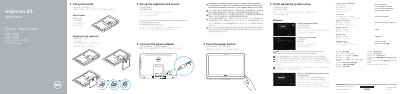
This multilingual quick start guide helps set up the Dell Inspiron 20-3052 desktop computer. It covers connecting the power adapter, setting up the stand, finishing operating system setup, enabling security and updates, connecting to a network, and signing in to a Microsoft account or creating a local account.
The guide also identifies system features and ports, including USB 3.0 and USB 2.0 ports, a headset port, media-card reader, camera, and optional optical drive. It lists Dell applications such as Dell Backup and Recovery and SupportAssist, and provides product support, regulatory, and contact information.
| USB 3.0 ports | 2 |
|---|---|
| USB 2.0 ports | 2 |
| Optical drive | optional |
Enter the password for the wireless network access when prompted.
Keep the power adapter connected when the computer is not in use.
Sign in to your Microsoft account or create a local account.
Visit Dell support and manuals pages online.