
The Venue 11 Pro Quick Start Guide provides instructions on how to connect the power adapter, finish Windows setup, connect to a network, sign in to your account, register your device, use Dell applications, learn how to use Windows, and connect to a network.
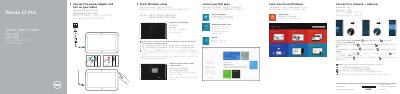
This two-page Dell quick start guide for the Venue 11 Pro tablet (computer model Venue 7140, regulatory model T07G) walks through first-time setup: connect the power adapter, turn on the tablet, finish Windows setup by connecting to a network and signing in to an account or creating a new one, and locate the Dell apps such as Register My Device, Dell Backup and Recovery, My Dell, and Help and Tips. The text is printed in English, Chinese, Japanese and Korean side by side.
The guide also shows a numbered diagram of tablet features, including microphones, cameras, power button, MicroSD card reader, Micro-SIM reader (LTE/HSPA+ models only), Noble security-cable slot, dock pins and connector, NFC reader, USB 3.0, Micro HDMI and Micro USB power connectors, plus the optional stylus. It ends with instructions for inserting a microSD card and micro-SIM card and with Dell support, contact and regulatory web addresses.
| Computer model | Venue 7140 |
|---|---|
| Regulatory model | T07G |
| Regulatory type | T07G002 |
| Memory card reader | MicroSD memory card reader |
| SIM reader | Micro-SIM reader (LTE/HSPA+ models only) |
| USB connector | USB 3.0 connector |
| Video connector | Micro HDMI connector |
| Power connector | Micro USB power connector |
| Wireless feature | Near Field Communication (NFC) reader |
Connect the power adapter and turn on the tablet, then finish the Windows setup steps.
Enter the password for the wireless network access when prompted.
Insert the optional microSD memory card (sold separately) and the micro-SIM card, which is used on LTE/HSPA+ models only.
Dell lists dell.com/support and dell.com/support/manuals in the guide.