
This document describes how to set up and operate a Dell computer.
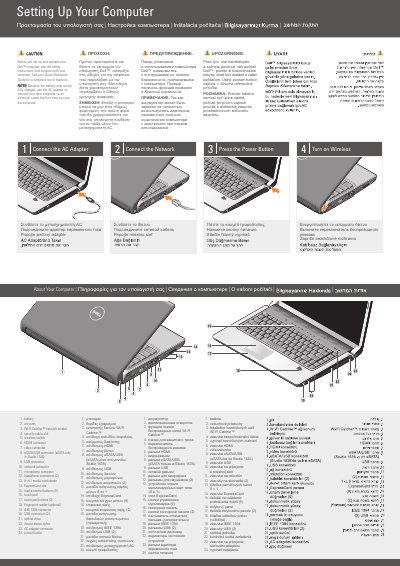
This two-page Dell setup sheet provides multilingual instructions for setting up a Dell computer, identified in the text as Studio 1536. It covers connecting the AC adapter, connecting the network, pressing the power button, and turning on wireless.
The document also lists the computer's ports, buttons, and connectors, and shows an optional wireless network layout. It points readers to the safety instructions, the Quick Reference Guide, and support.dell.com for more information.
| Headphone connectors | 2 |
|---|---|
| Media control buttons | 9 |
| Touch pad buttons | 2 |
| USB connectors | 2 |
| Media card reader | 8-in-1 |
| eSATA support | Only in Studio 1536 |
Read the safety instructions that shipped with the computer, and see the Quick Reference Guide for a complete list of features.
The battery may not be fully charged, so connect the new computer to an electrical outlet with the AC adapter the first time you use it.
See the Quick Reference Guide, or go to support.dell.com if you do not have a printed copy.