
The Dell OptiPlex 7040M Quick Start Guide provides information on how to set up and use the Dell OptiPlex 7040M computer.
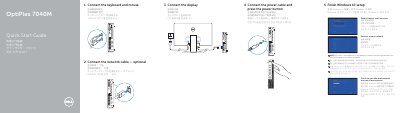
The Dell OptiPlex 7040M Quick Start Guide provides step-by-step instructions for setting up the all-in-one desktop, including connecting the keyboard, mouse, network cable, power cable, and display. It also guides users through completing Windows 10 setup, enabling support and protection, connecting to a network, and signing in with a Microsoft account or creating a local account.
The guide includes a detailed features diagram labeling 17 components such as the power button, hard-drive activity light, microphone and line-out connectors, USB 3.0 ports (including PowerShare and Smart Power On), optional antenna SMA and serial/PS2/VGA/DisplayPort connectors, security-cable slot, padlock ring, cable holder, DisplayPort, HDMI, power, and network connectors. It also provides links to product support, manuals, regulatory information, Dell apps, product registration, and SupportAssist. This manual is written in Chinese.
| Power button/Power light | Present |
|---|---|
| Hard-drive activity light | Present |
| Microphone connector | Present |
| Line-out connector | Present |
| USB 3.0 connector | Present |
| USB 3.0 connector with PowerShare | Present |
| Antenna SMA connector (optional) | Optional |
| Serial/PS2/VGA/DisplayPort connector (optional) | Optional |
| Security-cable slot | Present |
| Padlock ring | Present |
| Cable holder | Present |
| DisplayPort connector | Present |
| HDMI connector | Present |
| Power connector | Present |
| Network connector | Present |
| USB 3.0 connector (Supports Smart Power On) | Present |
| USB 3.0 connectors | Present |
Connect the keyboard and mouse to the USB ports on the computer.
Visit Dell.com/support or Dell.com/support/manuals for product support and manuals.