
OptiPlex 7050 Tower Desktop Quick Start Guide.
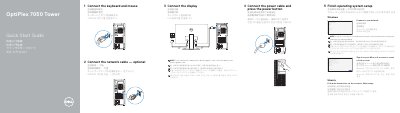
This guide helps you quickly set up your Dell OptiPlex 7050 Tower desktop. Connect your keyboard, mouse, display, and power cable, then follow on-screen prompts to complete Windows or Ubuntu setup. The guide also lists front panel ports and features, including USB, HDMI, VGA, and network connections.
After setup, use Dell SupportAssist to check and update your computer. Locate Dell apps and access support resources at Dell.com/support.
| Regulatory Model | D18M |
|---|---|
| Regulatory Type | D18M003 |
| Computer Model | OptiPlex 7050 Tower |
| Rated Voltage | 100 - 240 volts |
| Rated Frequency | 50 - 60 Hz |
| Rated Input Current | 4 amps |
Connect the display to the discrete graphics card if your computer has one. Otherwise, connect to the onboard graphics port.
Connect the display to the discrete graphics card.
The rated voltage is 100 - 240 volts.
The rated frequency is 50 - 60 hertz.