
Dell Display Manager is a Windows application used to manage one or more monitors. It allows you to manually adjust the displayed image, assign automatic settings, manage power, arrange windows, rotate the image and more.
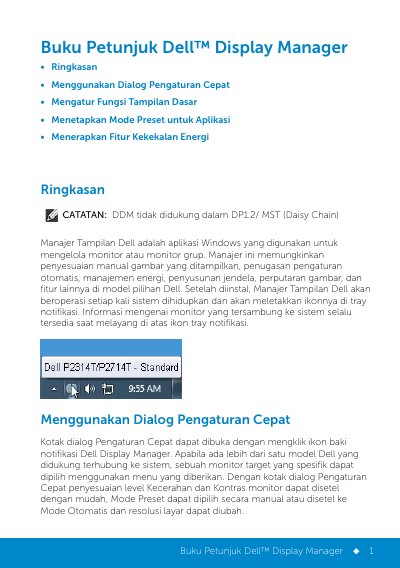
Dell Display Manager (DDM) is a Windows application used to manage a monitor or a group of monitors. It allows manual adjustment of the displayed image, assignment of automatic settings, energy management, window layout, image rotation, and other features on select Dell models. After installation it runs whenever the system is turned on and places an icon in the notification tray; hovering over the icon shows information about the monitors connected to the system. The Quick Settings dialog opens from the tray icon and lets users select a target monitor, adjust brightness and contrast, choose a preset mode or Automatic Mode, and change screen resolution. The guide notes that DDM is not supported in DP1.2/MST (Daisy Chain).
The Basic tab applies preset modes manually or enables Automatic Mode, which applies a chosen preset when a specific application is active. Preset modes can be associated with applications by dragging them onto the assignment list; batch files, scripts, loaders, and non-executable files such as zip archives are not supported. On supported Dell models, the Options tab provides the PowerNap energy-saving option, which sets brightness to the minimum level or puts the monitor into sleep mode when the screen saver is active.
| Operating system | Windows |
|---|---|
| MST daisy chain support | Not supported in DP1.2/MST (Daisy Chain) |
| Startup behavior | Operates each time the system is turned on and places an icon in the notification tray |
| Power saving option | PowerNap |
| Unsupported preset assignment targets | Batch files, scripts, loaders, and non-executable files such as zip archives |
It is a Windows application used to manage a monitor or a group of monitors on select Dell models.
Click the Dell Display Manager icon in the notification tray.
No. The guide states that DDM is not supported in DP1.2/MST (Daisy Chain).
When the screen saver is active, it sets monitor brightness to the minimum level or puts the monitor into sleep mode to save additional power.