
Dell Inspiron M4040/14-N4050/3420 Quick Start Guide

Specifications and safety information for Dell computers.
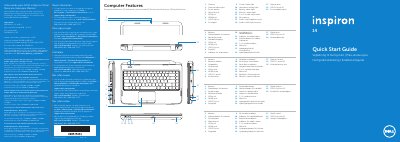

Dell Inspiron M4040/14-N4050/3420 Quick Start Guide - cover page
Brand
DELL
Category
Laptops
Document type
Quick Start Guide
Language
English
Pages
2
File format
PDF
File size
812 KB
Published
25 November, 2023
Updated
25 November, 2023
MD5 checksum
FE5A0B6ED389DAFAE0F6C7CF709EB7C3

About this manual

The Dell Inspiron M4040, 14-N4050, and 3420 Quick Start Guide provides an overview of the laptop's physical features and basic operating instructions.

It includes a detailed map of computer features such as ports, lights, and buttons, as well as a guide to function keys for controlling system settings like brightness and volume.

What's inside

  • Computer Features
  • Quick Start
  • Complete Windows setup
  • Function Keys
  • Locate your service tag

Specifications

Regulatory modelP22G
Input Voltage100 to 240 VAC
Input Current (max)1.50 A / 1.60 A / 1.70 A
Input Frequency50 to 60 Hz

Frequently asked questions

What is the input voltage for this device?

The input voltage is from 100 to 240 VCA.

What is the maximum input current?

The maximum input current is 1,50 A/1,60 A/1,70 A.

What symbol should not be used in the Windows password?

The @ symbol should not be used in the password.

Download PDF (812 KB)

More DELL Manuals


View all DELL manuals →