
The Dell Vostro 5471 Quick Start Guide provides instructions on how to set up and use the Dell Vostro 5471 laptop.
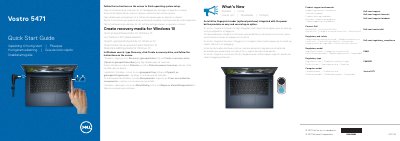
This quick start guide for the Dell Vostro 5471 laptop explains how to follow the on-screen instructions to finish operating system setup. It also tells users where to find product support, manuals, contact information, and regulatory and safety information.
The guide lists the computer's features, including the optional fingerprint reader integrated with the power button, ports, card reader, and service tag label. It includes instructions for creating Windows 10 recovery media and notes the regulatory model P88G and regulatory type P88G001.
| Computer model | Vostro 5471 |
|---|---|
| Fingerprint reader | Optional, integrated with the power button |
| USB port | USB 3.1 Gen 1 with PowerShare |
| USB Type-C port | USB 3.1 Gen 1 (Type-C) with Power Delivery/DisplayPort |
| Security slot | Noble security-cable slot |
| Card reader | SD card reader |
| Microphones | Dual-array microphones |
Follow the instructions on the screen to finish operating system setup.
Dell lists Dell.com/support, Dell.com/support/manuals, and Dell.com/support/windows for product support and manuals.
A fingerprint reader is available as an optional purchase and is integrated with the power button.
In Windows search, type Recovery, click Create a recovery drive, and follow the instructions on the screen.