
Inspiron 15-5552 Laptop Quick Start Guide
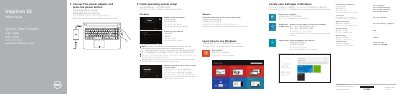
The Dell Inspiron 15-5552 Quick Start Guide explains initial setup: connect the power adapter, press the power button, finish operating system setup, enable security and updates, connect to a network, and sign in to a Microsoft account or create a local account. It also points to Dell support pages for product support, manuals, Windows, Linux, contact, and regulatory compliance.
The guide lists laptop features such as the microphone, camera, power-adapter port, HDMI port, USB 3.0 port, media-card reader, headset port, two USB 2.0 ports, optical drive, security-cable slot, power button, battery, labels, and battery-release latch. It also shows shortcut keys for audio, media playback, display switching, search, brightness, Fn-key lock, wireless, sleep, and status-light switching.
| Regulatory model | P51F |
|---|---|
| Regulatory type | P51F005 |
| USB 3.0 port | One USB 3.0 port |
| USB 2.0 ports | Two USB 2.0 ports |
| HDMI port | HDMI port |
| Media-card reader | Media-card reader |
| Security-cable slot | Security-cable slot |
| Battery-release latch | Battery-release latch |
Connect the power adapter and press the power button.
Enter the password for the wireless network access when prompted.
See Specifications at dell.com/support.
The laptop has two USB 2.0 ports.