
Dell Inspiron 14-3451 and Inspiron 14-3458 Notebook Quick Start Guide

Dell Inspiron 14-3451 and Inspiron 14-3458 notebook quick start guide.
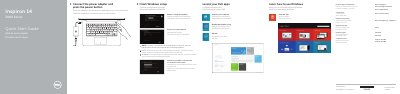

Dell Inspiron 14-3451 and Inspiron 14-3458 Notebook Quick Start Guide - cover page
Brand
DELL
Category
Laptops
Document type
Quick Start Guide
Language
English
Pages
2
File format
PDF
File size
718 KB
Published
25 November, 2023
Updated
25 November, 2023
MD5 checksum
1591755F75B073E1B3E3BC433E107C0A

About this manual

This Quick Start Guide provides essential instructions for setting up the Dell Inspiron 14-3451 and Inspiron 14-3458 notebooks, including Windows configuration and network connection.

The document identifies the hardware features of the Inspiron 14 3000 Series, detailing the locations of ports, buttons, and indicator lights, as well as a list of available keyboard shortcut keys.

What's inside

  • Finish Windows setup
  • Features
  • Shortcut keys

Frequently asked questions

Which model has a network port?

The network port is available on the Inspiron 3458 model only.

How do I connect to a secured wireless network?

Enter the password for the wireless network access when prompted.

Download PDF (718 KB)

More DELL Manuals


View all DELL manuals →