
Inspiron 15-5558 and Inspiron 15-5551 Notebook Quick Start Guide
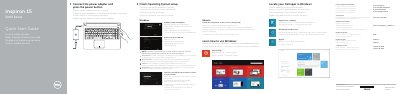
This Dell Quick Start Guide covers the first steps for the Inspiron 15-5558 and Inspiron 15-5551 computers (Inspiron 15 5000 Series). It shows how to connect the power adapter and press the power button, finish the operating system setup for Windows or Ubuntu, enable security and updates, connect to your network, and sign in with a Microsoft account or a local account.
The guide also lists where to find help and tips, Dell apps in Windows such as My Dell, Dell Backup and Recovery, computer registration, and support links at dell.com/support. A Features section numbers the parts of the computer, from the camera and microphones to the power-adapter port, HDMI port, USB ports, media-card reader, optical drive, battery and Service Tag label, and a Shortcut keys section lists the Fn key combinations.
| USB 3.0 port | 1 |
|---|---|
| USB 2.0 ports | 2 |
| HDMI port | 1 |
| Network port | Inspiron 15-5558 only |
| Left microphone | Inspiron 15-5558 only |
| Computer model | Inspiron 15-5558, Inspiron 15-5551 |
| Regulatory model | P51F |
| Regulatory type | P51F001, P51F003 |
Connect the power adapter and press the power button.
Enter the password for the wireless network access when prompted.
The guide refers you to the Specifications section at dell.com/support.
It is listed in the Features section as item 21, the Service Tag label.