
Dell™ OptiPlex™ 780 Mini Tower Computer Service Manual introduces the usage and precautions of Dell™ OptiPlex™ 780 Mini Tower Computer.
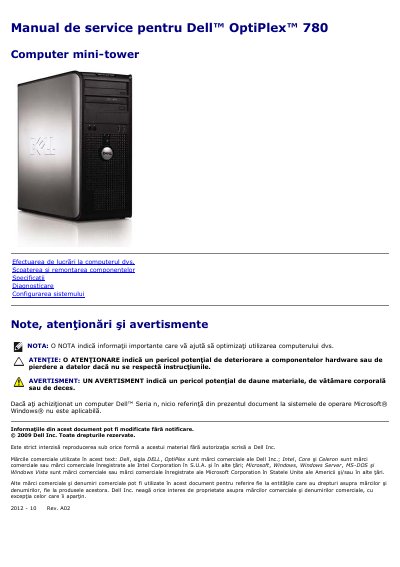
This document is a service manual for the Dell OptiPlex 780 mini-tower computer. It describes safety precautions, recommended tools, shutdown and post-work steps, and removal and replacement of components such as the cover, round battery, optical drive, video card, hard disk, power supply, processor, memory module, floppy drive, system fan, I/O panel, heatsink, and system board.
It also includes technical specifications for the processor, memory, bus, video, system, boards, drives, connectors, network, audio, power, physical dimensions, and environmental conditions, along with diagnostics and system configuration sections.
| L2 cache | At least 512 KB |
|---|---|
| Memory type | SDRAM DDR3 (non-ECC only) |
| Memory speed | 1067 MHz |
| Memory connectors | 4 |
| Non-ECC memory capacities | 1 GB, 2 GB, or 4 GB |
| Minimum memory | 1 GB |
| Maximum memory | 16 GB |
| Integrated graphics | Intel X4500 media graphics accelerator |
| Shared video memory | Up to 256 MB |
| Separate graphics support | PCI Express x16 slot accepts a PCI Express card or DVI extension card |
| Audio | Intel High Definition Audio |
| Network adapter | Intel integrated network adapter, 10/100/1000 Mb/s |
| Chipset | Intel Q45 Express with ICH10DO |
| DMA channels | 8 |
| Interrupt levels | 24 |
| BIOS chip | 64 Mb NVRAM |
| Bus types | PCI 2.3, PCI Express 2.0, SATA 1.0A/2.0, eSATA, USB 2.0 |
| PCI bus speed | 133 MB/s |
| PCI Express x1 speed | 250 MB/s bidirectional |
| PCI Express x16 speed | 8 GB/s bidirectional |
| SATA speed | 1.5 Gb/s and 3.0 Gb/s |
| USB speed | 480 Mb/s |
| Hard disk compartments | Two 3.5-inch compartments |
| 2.5-inch hard disk support | Up to two 2.5-inch hard disks with carriers |
| Rear audio connectors | Two line-in/microphone and line-out connectors |
| Front audio connectors | Two headphone and microphone connectors |
| eSATA connector | One 7-pin connector |
| Network connector | One RJ45 connector |
| Parallel connector | One 25-pin bidirectional connector |
| Serial connector | One 9-pin connector compatible with 16550C |
| Front USB connectors | Two |
| Rear USB connectors | Six |
| VGA connector | One 15-pin connector |
| DisplayPort connector | One 20-pin connector |
| PCI 2.3 connectors | Two 120-pin connectors |
Ensure the work surface is flat and clean, shut down the computer, disconnect network and power cables, press and hold the power button while disconnecting, and remove the cover.
A small flathead screwdriver and a Phillips screwdriver are among the recommended tools.
Save and close all open files, exit open programs, use the operating system shut down command, and hold the power button for about 6 seconds if the system does not shut down automatically.
The manual covers removal and replacement of the cover, round battery, optical drive, video card, hard disk, and other listed components.
Reconnect external devices, boards, and cables before starting the computer.