
Dell Latitude 12 5000 Series E5270 Laptop Quick Start Guide

Dell Latitude 12 5000 Series E5270 Laptop Quick Start Guide.
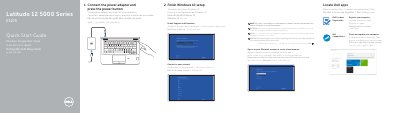

Dell Latitude 12 5000 Series E5270 Laptop Quick Start Guide - cover page
Brand
DELL
Category
Laptops
Document type
Quick Start Guide
Language
English
Pages
2
File format
PDF
File size
476 KB
Published
25 November, 2023
Updated
25 November, 2023
MD5 checksum
16EB1E9720E8939826BFB748855441A4

About this manual

This guide covers initial setup of the Dell Latitude 12 5000 Series E5270 laptop, including connecting the power adapter, completing Windows 10 setup, locating Dell apps, registering the product, and using Dell SupportAssist.

It also identifies the laptop's external features and connectors and points to product support, manuals, regulatory, and safety resources.

What's inside

  • Connect the power adapter and press the power button
  • Finish Windows 10 setup
  • Locate Dell apps
  • Product registration
  • Dell SupportAssist
  • Features
  • Product support and manuals
  • Regulatory and safety

Specifications

Regulatory typeP23T001
Computer modelLatitude 12-E5270

Frequently asked questions

How do I start setting up the laptop?

Connect the power adapter and press the power button, then finish the Windows 10 setup.

Where can I find product support and manuals?

Dell provides product support and manuals through Dell.com/support and Dell.com/support/manuals.

Which features are optional?

Optional items include the camera, SIM connector, fingerprint reader, contactless smart card reader, and smart-card reader.

Download PDF (476 KB)

More DELL Manuals


View all DELL manuals →