
The Dell Wyse 5000 Series Thin Client Wyse 5060 Quick Start Guide describes how to install the stand, connect the keyboard and mouse, connect the power cable and press the power button, connect the display and press the power button, and connect the network interface.
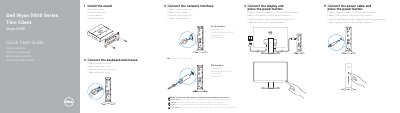
This quick start guide shows how to set up the Dell Wyse 5060 thin client, including installing the stand and connecting the keyboard, mouse, display, network, and power.
It also identifies the front and rear ports and features and lists Dell support, manual, regulatory, and safety resources.
| Power button/Power light | 1 |
|---|---|
| Activity light | 1 |
| USB 2.0 port | 2 |
| Headset port | 1 |
| Product information tag | 1 |
| +19V Power port | 1 |
| Security-cable slot | 1 |
| DisplayPort | 2 |
| USB 3.1 Gen 1 port | 2 |
| Network port | 10/100/1000 Base-T (optional) |
| SFP interface | optional |
| Regulatory model | N07D |
| Regulatory type | N07D001 |
| Computer model | Wyse 5060 |
Rotate the latch and unplug it from its slot.
They are available at dell.com/support and dell.com/support/manuals.
The regulatory model is N07D and the regulatory type is N07D001.